Getting started with rpact

Daniel Sabanés Bové and Friedrich Pahlke

November 3, 2025

Quick Intro

Welcome to this rpact workshop! 🎉

  • This is the first time we offer this workshop publicly
  • We are happy to have you here! 😄
  • Feel free to ask questions at any time using the Zoom Q&A or chat function
  • Please participate in the Zoom poll so we can get to know your background a little bit

Daniel

  • Ph.D. in Statistics from University of Zurich, Bayesian Model Selection
  • Biostatistician at Roche for 5 years, Data Scientist at Google for 2 years, Statistical Software Engineer at Roche for 4 years
  • Co-founder of RCONIS
  • Multiple R packages on CRAN and Bioconductor, co-wrote book on Likelihood and Bayesian Inference, chair of openstatsware
  • Feel free to connect

Friedrich

  • Computer scientist (Diploma/M.Sc.) with a Ph.D. in Human Biology focusing on biostatistics from the University of Lübeck, Germany
  • Independent consultant in computer science, data science, and biostatistics since 2008
  • Co-founder and CEO of RPACT, a company developing the formally validated R package rpact with 31 releases on CRAN since 2018
  • Co-founder of RCONIS
  • Software architect, R programmer since 2004, and Shiny developer since 2019
  • Feel free to connect at LinkedIn or Github

RCONIS 🚀

  • Statistical consulting and engineering services:
    Research Consulting and Innovative Solutions
  • Grow RPACT company to offer a wider range of services
  • Strengthen maintainer team for the rpact package
  • Website: rconis.com

RCONIS Team

What you will learn today

  • Understand the basics about rpact
  • Get to know the graphical user interface RPACT Cloud
  • Go through a practical example of clinical trial design using rpact

What you will need

  • Your own R installation with rpact
    • install.packages("rpact")
  • Access to RPACT Cloud via cloud.rpact.com

The R Package rpact – Functional Range

Trial Designs

  • Fixed sample design
  • Group sequential designs
  • Adaptive designs using the inverse normal and Fisher’s combination test, and conditional error rate principle

Easy to understand R commands:

getDesignGroupSequential()
getDesignInverseNormal()
getDesignFisher()
getDesignConditionalDunnett()

Sample Size and Power Calculation

for

  • testing means (continuous endpoint)
  • testing rates (binary endpoint)
  • survival trials with flexible recruitment and survival time options
  • testing rates for count data

Easy to understand R commands:

getSampleSize[Means/Rates/Survival/Counts]()
getPower[Means/Rates/Survival/Counts]()

Example:

getSampleSizeMeans()
getPowerMeans()

Adaptive Analysis

for testing means, rates, and survival data

  • Calculates adjusted point estimates and confidence intervals
  • Some highlights:
    • Automatic boundary recalculations during the trial for analysis with alpha spending approach, including under- and over-running
    • Adaptive analysis tools for multi-arm trials
    • Adaptive analysis tools for enrichment design

Easy to understand R commands:

getStageResults()
getRepeatedConfidenceIntervals()
getAnalysisResults()

Simulation Tool

for means, rates, survival data, and count data

  • Assessment of adaptive sample size/event number recalculation strategies
  • Assessment of treatment selection strategies in multi-arm trials
  • Assessment of population selection strategies in enrichment designs

Easy to understand R commands:

getSimulation[MultiArm/Enrichment][Means/Rates/Survival/Counts]()

Example:

getSimulationMeans()
getSimulationMultiArmMeans()
getSimulationEnrichmentMeans()

\(\rightarrow\) rpact useful for conducting flexible simulations in clinical trial planning

User Concept – R generics

In general, everything runs with the R standard functions which are always present in R: so-called R generics.

  • Visualize:
    • print()
    • summary()
    • plot()
  • Continue work:
    • as.data.frame()
    • length()
    • names()

User Concept – Most parameters have a default value

Example: getDesignInverseNormal() produces the output:
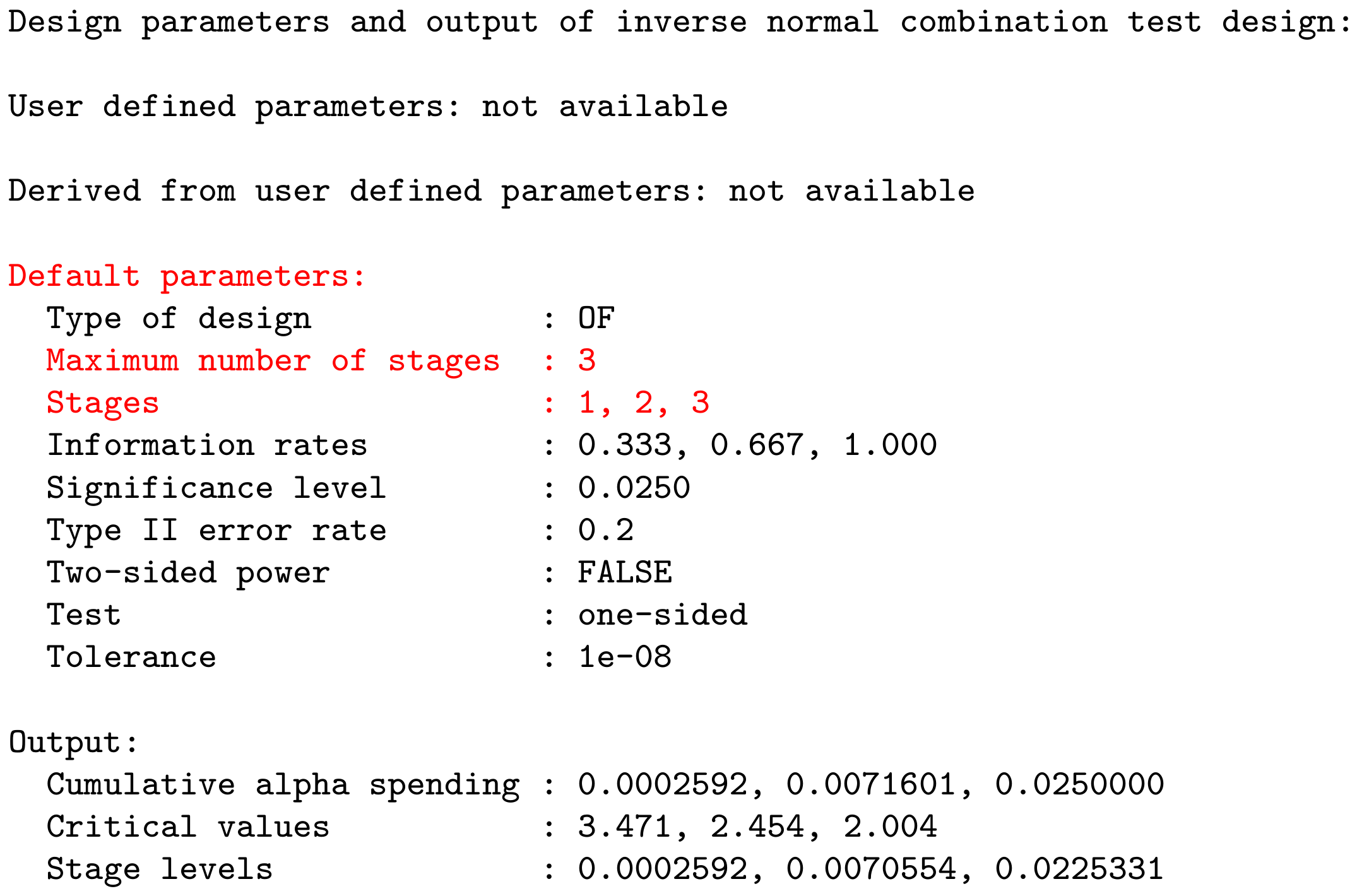
User Concept – Most parameters have a default value

Example: getDesignInverseNormal(kMax = 2) produces the output:
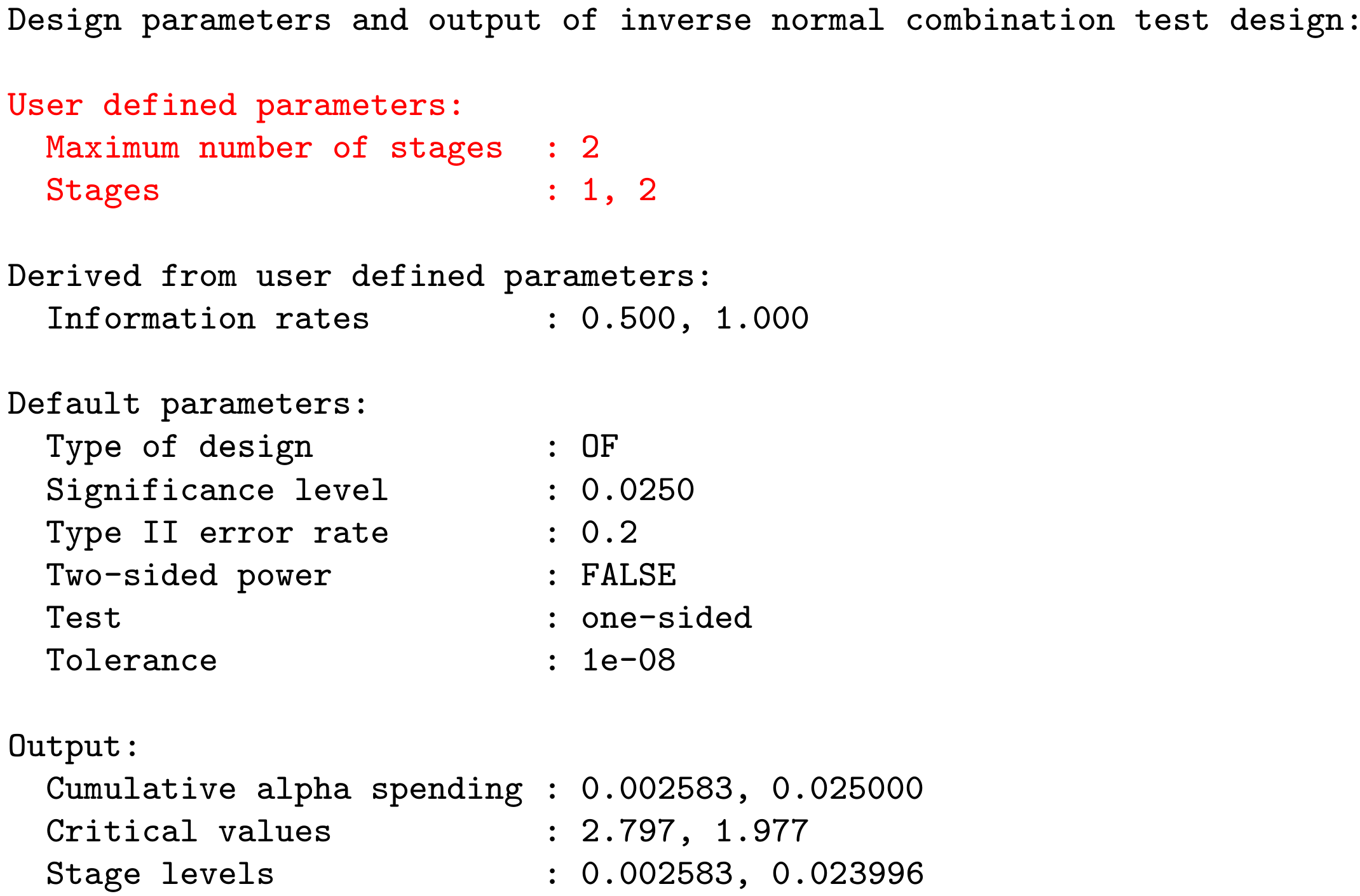
User Concept – Support of pipe operators

library(rpact)
getDesignGroupSequential() |>
    getDataset(dataMeans) |>
    getAnalysisResults()

Analysis results (means of one group, group sequential design)

Design parameters

  • Information rates: 0.333, 0.667, 1.000
  • Critical values: 3.471, 2.454, 2.004
  • Futility bounds (non-binding): -Inf, -Inf
  • Cumulative alpha spending: 0.0002592, 0.0071601, 0.0250000
  • Local one-sided significance levels: 0.0002592, 0.0070554, 0.0225331
  • Significance level: 0.0250
  • Test: one-sided

Default parameters

  • Normal approximation: FALSE
  • Direction upper: TRUE
  • Theta H0: 0

Stage results

  • Cumulative effect sizes: 45.00, 48.60, 47.25
  • Cumulative (pooled) standard deviations: 130.0, 134.8, 128.7
  • Stage-wise test statistics: 1.548, 1.995, 2.054
  • Stage-wise p-values: 0.06905, 0.02774, 0.02455
  • Overall test statistics: 1.548, 2.550, 3.285
  • Overall p-values: 0.0690533, 0.0069750, 0.0007617

Analysis results

  • Assumed standard deviation: 128.7
  • Actions: continue, reject and stop, reject
  • Conditional rejection probability: 0.08839, 0.50232, NA
  • Conditional power: NA, NA, NA
  • Repeated confidence intervals (lower): -76.25044, 0.08653, 17.95726
  • Repeated confidence intervals (upper): 166.25, 97.11, 76.54
  • Repeated p-values: 0.2531791, 0.0247936, 0.0007821
  • Final stage: 2
  • Final p-value: NA, 0.00708, NA
  • Final CIs (lower): NA, 9.421, NA
  • Final CIs (upper): NA, 84.18, NA
  • Median unbiased estimate: NA, 46.82, NA

The R Package rpact – Getting started

Various learning concepts available:

RPACT Connect

  • All important information and resources about RPACT on one dashboard page
  • Customer-specific resources, e.g.,
    • training slides,
    • annual meeting slides, and
    • the rpact validation documentation
  • Use RPACT Connect to jump to RPACT Cloud and unlock advanced features
  • Sign up: Please use your corporate email address so RPACT Connect can recognize and load your organization specific resources automatically
  • RPACT Connect: connect.rpact.com

The R Package rpact - Online Resources

Further information, installation, and usage:

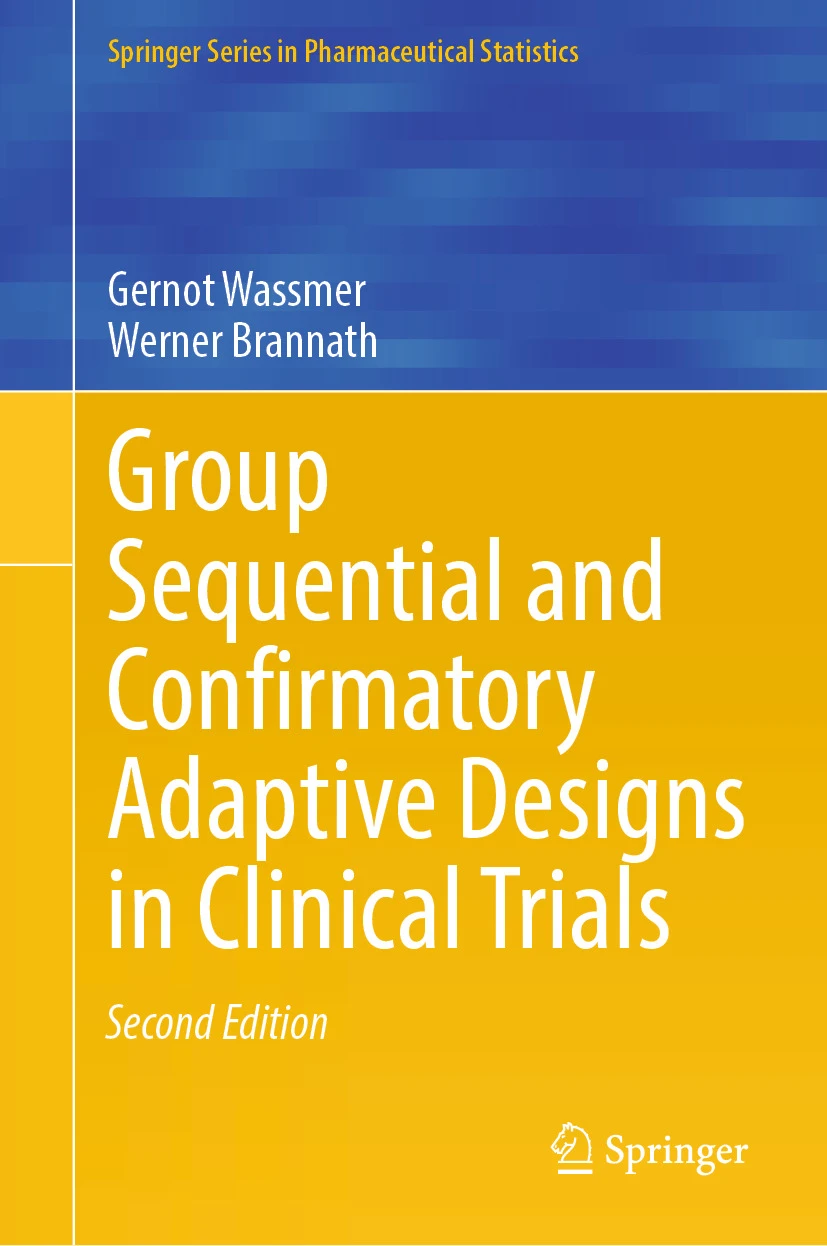
New Edition of the Reference Book

  • Group Sequential and Confirmatory Adaptive Designs in Clinical Trials by Gernot Wassmer and Werner Brannath
  • Second Edition (Springer, 2025) — published on September 24, 2025
  • Now featuring numerous rpact R code examples demonstrating the methods implemented in the package
  • For more information, visit: link.springer.com/book/10.1007/978-3-031-89669-9
End of “Getting started with rpact”